
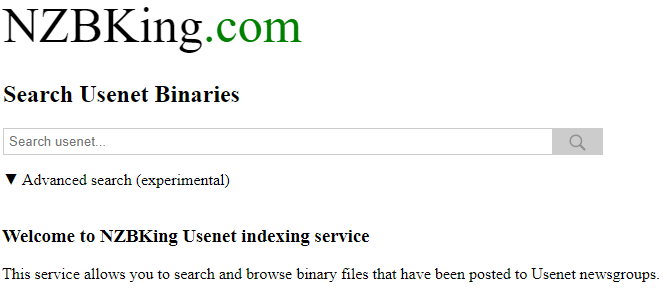
NZBKing is a free Usenet search site. You don’t need an account. You just go to nzbking.com (see their website) and type in what you’re looking for. It shows you what’s been posted to the binary newsgroups. Tick the posts you want and it gives you an NZB file, and your newsreader uses that to download everything. The NZB is only the map though, you still need a Usenet provider to download from. We use UsenetServer, it comes with its own newsreader and a VPN too.
Easynews is our top choice among the best NZB search options. It’s an all-in-one service. You get unlimited high-speed Usenet access plus its own search, and the results are really accurate. It’s easy to use. You log into your Easynews account, type in the search bar and hit enter.
Other features:
- Highest retention rates / largest Usenet archive
- Retention grows daily (no Usenet posts are expired)
- Fast and accurate results
- Easy to use, fully customizable search interface
- No NZBs, indexers, or newsreaders needed
- Can be accessed from any device (mobile and desktop)
It also saves you paying for a bunch of NZB indexers. You get unlimited access and unlimited Usenet search with your Easynews account.
Exclusively through Usenet.com: Get 3 FREE Months of Easynews – Includes 30 day MBG + Free Upgrade to Unlimited (normally 150GB/mo)
What is NZBKing?
NZBKing is a Usenet search engine, which is also called a Usenet indexer. These indexers can come in three different types-public, open and invite-only.
- Public indexers don’t need you to sign up, so they’re the easiest ones to start with.
- Open search engines are available to everyone but they require users to sign up before they can use the service.
- Invite-only indexers need an invite from a member, or you have to catch them when signups are open.
Search engines let you download NZB files. You open the NZB in your newsreader and it pulls the articles from your provider’s news servers.
Why do I need it?
You may be wondering if you actually need one. It makes browsing Usenet a lot easier. You grab NZBs right from the site and drop them in your newsreader. But a search site is only one part of it. First you’ll need a Usenet provider so you can get to the content on the news servers, UsenetServer is our pick for best Usenet provider. A lot of people add a VPN too for privacy.
How to Use NZBKing
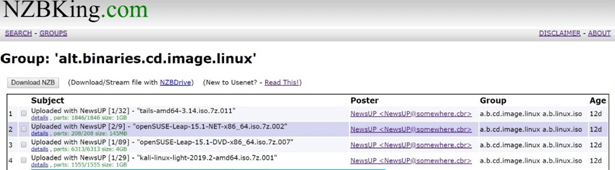
Using NZBKing is pretty easy, even if you’ve never used Usenet before. It’s like a Google search. You type what you’re looking for in the search bar and hit enter, and you’ll get a page with all the results. Tick the boxes next to the files you want and click the ‘Download NZB’ button. Everything you picked gets put into one NZB file. The NZB isn’t the actual file you want, it’s more like a list of links your newsreader uses to download it.
NZBKing Newsgroups
NZBKing provides you access to many different Usenet newsgroups, which will provide you access to a variety of content available on Usenet. It indexes about 3,570 groups and there are more than 200 million posts you can search, with new ones added all the time. So there’s a good chance you’ll find what you’re looking for.
NZB Creation
One of the best features of NZBKing is the ability to create NZB files for all the various downloads you need into one single file. This saves you from needless clutter in downloading multiple different NZBs and then individually queuing them up for download.
Retention
Retention is how far back an indexer keeps track of posts. If something was posted before that, it won’t show up in your results. NZBKing now goes back more than 4,000 days, which is a lot for a free site. Just remember the NZB only works if your provider still has the files. UsenetServer keeps 6,585+ days, so it’ll have pretty much anything NZBKing finds.
Does NZBKing Have Filters?
NZBKing has basic filters and you can look at the NFO before you grab something, but it’s all done by hand. There’s no API, so you can’t hook it up to Sonarr, Radarr or other apps. If you want that, have a look at our best NZB sites list. UsenetServer Global Search is another good way to search Usenet, it comes with your account.
Conclusion
NZBKing is easy to use and we didn’t run into any real problems with it. It’s free and there’s no signup, so you might as well try it and see if it finds what you need. You’ll still need a Usenet provider to download with, we use UsenetServer, see its pricing and retention.