

One of the hardest things about using Usenet is actually finding what you are looking for. All you need is a good search engine and a NZB downloader and you’re good to go! Binsearch is a Binary Usenet Search Engine. With this site you can search and browse binary usenet newsgroups. Binsearch indexes every binary newsgroup that is supported by our Best Usenet Providers. By default it searches the most popular groups, and you can pick ‘search other groups’ to search the rest. Let’s look at what a Usenet Search engine is, how it works and how good Binsearch is at doing its job.
What is Binsearch?
Binsearch is a search service for Usenet, the same kind of thing as NZBIndex. Like Google is a search tool for the web, Binsearch looks up archives for Usenet forums and files. When you scan for a record on Binsearch, it just gives you results in the form of a NZB document. You can then utilize that NZB to download the records from a Usenet server. You should know that Binsearch does not host any files themselves, the files are hosted separately on Usenet servers. Binsearch just looks them up from these servers.
Why Use a Usenet Search Engine?
Perhaps, this is the question. Sure, Binsearch exists and you know what it is but why do you need it? Well, if you have any intentions of using Usenet, and want to find what you’re looking for, it will make your life easier. Even if you are using a client like SpotNet to look up message boards, they will not directly provide the NZB to you. Most likely, they’ll give you a link to one of these search engines where you can get the NZB.
And if you’d rather skip NZB files altogether, Easynews has its own search built into the account, you just search and download right in your browser. You can also use these search engines on their own. To do this, you can search for files directly on the search engine and select files to download directly from here.
Features and Highlights
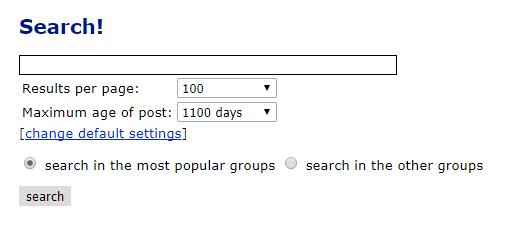
Let’s take a closer look at Binsearch. You’ll find it at binsearch.info (see their website), it’s one of the best known free NZB search engines and it’s still running in 2026. People like it mostly for its speed. It is super quick to return results and get the user what they need.
NZB Creation
This is one of the main selling points for Binsearch. In other search engines, you would need to download multiple parts and use an NZB client to create an NZB. In Binsearch, you can create NZB files right off the platform. This removes quite a lot of hassle from the Usenet process, as it removes an additional step. Binsearch makes Usenet very independent, due to this feature
Secure Connection
Binsearch runs over https, so your searches aren’t sent in plain text.
Binsearch Retention
Retention is how far back a search engine can see. Binsearch used to go back about 1,100 days, but recent reviews say it only looks back about a year now, so older posts won’t show up. If you need to go further back, the search that comes with a provider account can see a lot more, UsenetServer keeps 6,585+ days of posts.
Watch Release Feature
This is a fun quirk that you get with Binsearch. It is basically a tracking feature for upcoming release. So, if there is a file that you are anticipating and need it the moment it comes out, this feature is for you. However, you need an account to use it. While not directly related to your Usenet provider’s pricing, it is a fun little feature to have.
Newsgroups on Binsearch
If you use Usenet, you will know that the real provision of content is through newsgroups. These are the file hosting services, so the more the newsgroups, the more the content, the more for you to choose from. Binsearch covers thousands of binary newsgroups and it lists the most popular ones so you can browse them.
Is Binsearch Free?
Last but of course not the least is the Binsearch pricing. Which is, free. Binsearch doesn’t charge anything. Ads pay for it. The advertisements are hardly noticeable or at the very least, bearable. They do not cause any interruption in using the website services themselves.
How to Use It
Step 1: Search for Your File
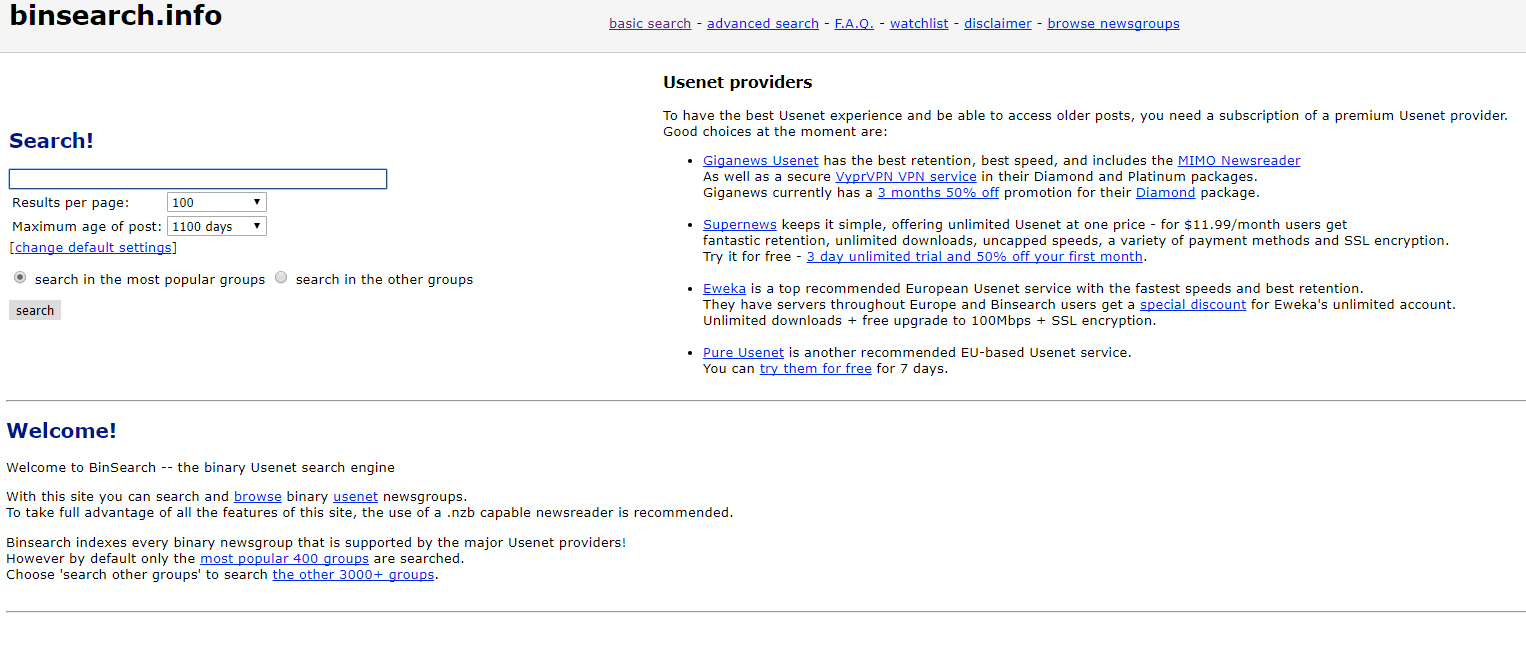
Using Binsearch is easy. To start off, go to Binsearch.info and you’ll see this page.
Yes, it looks like a webpage from the past but this part of the reason why it is super light and quick. They do not have any unnecessary graphics or gimmicks to make the engine look pretty, they are all about results.
As you can see, the main focus is on the search portion of the website. In the toolbar above you will see options for basic or advanced searching. We’ll stick to the basic search. The advanced search adds more fields to base result filtering on. In the search field, write what you are looking for and hit the “search” button. You can also set how many results show on a page and how many days back to search, but the defaults are fine for most people. For the radio buttons below these options, you may need to think a bit. If you are looking for a file that is fairly popular, then “search in most popular groups”. If your file is more on the exotic side then you may need to go with the latter option. I searched for “open office” and hit enter. The results I got are below.
Step 2: Pick Your Files
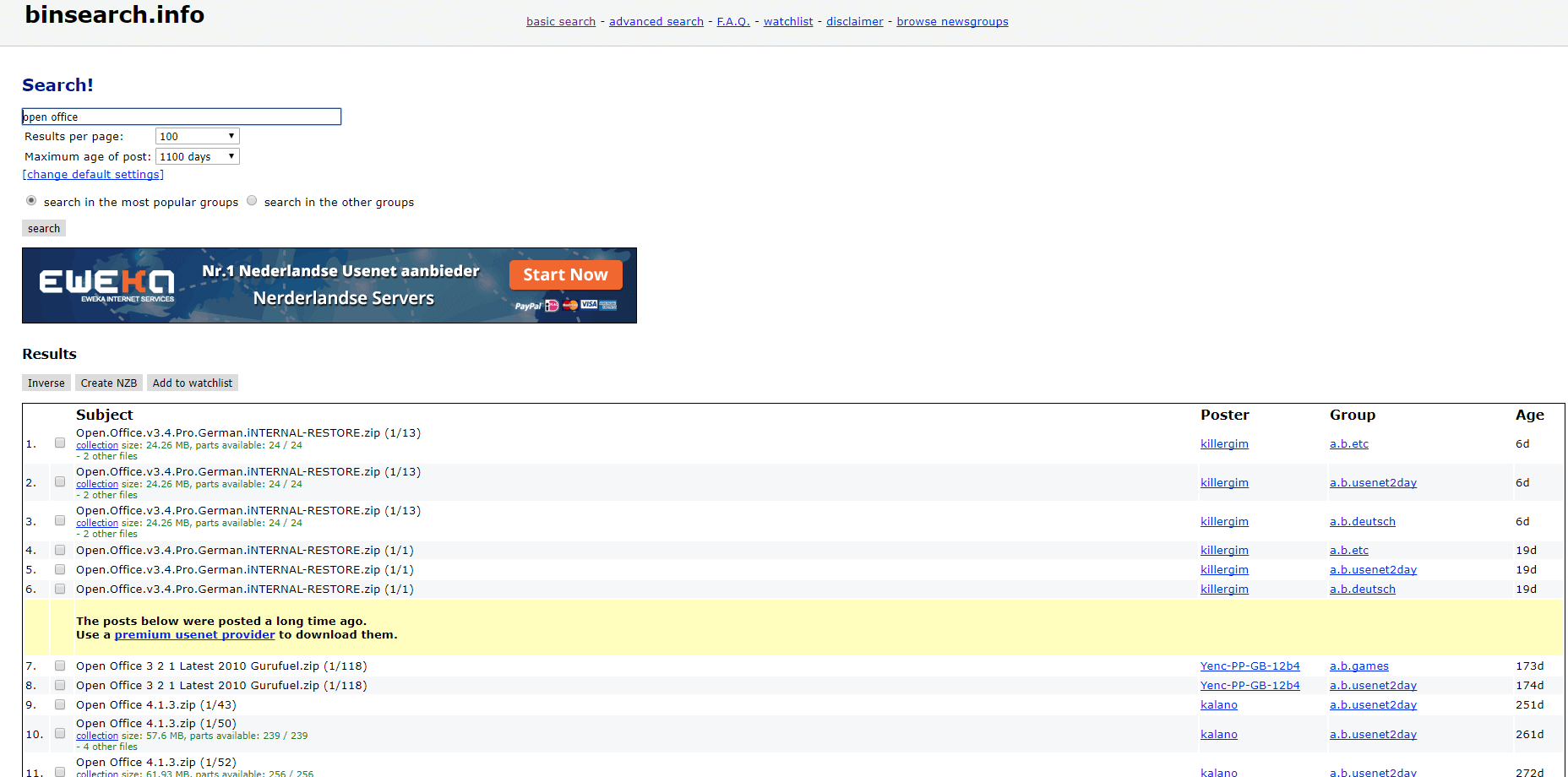
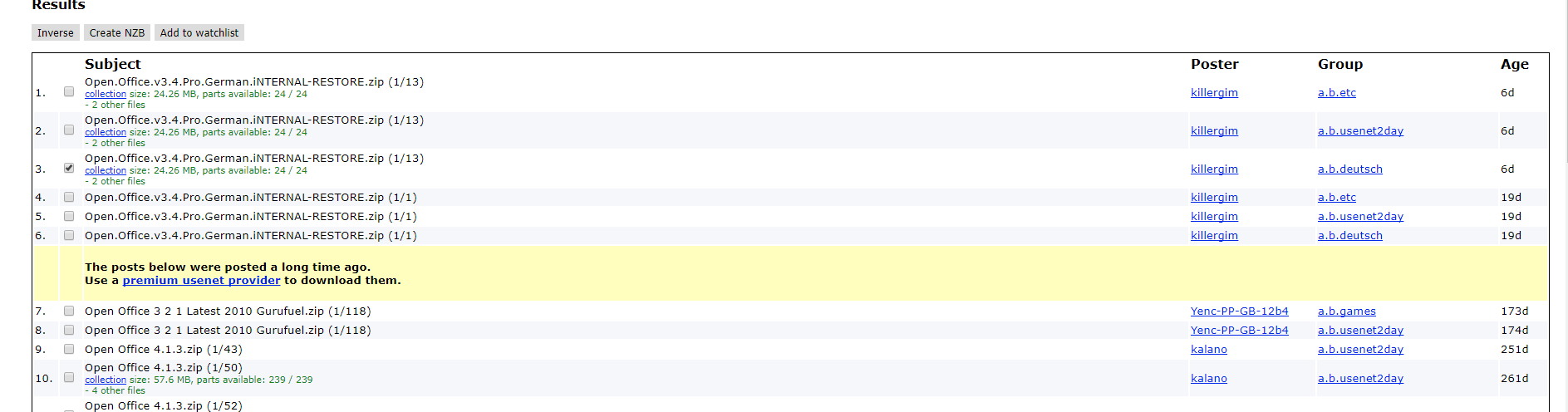
From these files you can easily work out which file is the one you are looking for. Once you have made this identification, click the check box on the right (there may be more parts than one to your file) and click the “Create NZB” button above.
Step 3: Download the NZB
This will trigger a download of .NZB files. Note, these are not the actual files you want to download but sort of links to download them. Your NZB downloader, like SABnzbd, opens the .NZB and downloads the actual files. Even if you pick several files, Binsearch makes one .NZB for all of them. As mentioned before, this is one of the best features of Binsearch.

Once the download finishes, your file will be in the folder you picked.
Binsearch vs UsenetServer Global Search
It is also valuable to compare Binsearch with another leading search provider-UsenetServer Global Search.
1⦁ Price: One of the most distinctive features in both services is the price. Binsearch is free, while UsenetServer Global Search comes with a paid account. But that also means no ads. Additionally, you even get Usenet Server and VPN services in your account purchase. You will need the Usenet server if you intend to use a client like Spotnet. You can also use the VPN to stay private online. So, both are at a tie here. It just depends what you are looking for.
2⦁ Retention: UsenetServer keeps 6,585+ days of posts, which is many times more than Binsearch can see. So if you are concerned with greater retention, UsenetServer is your best bet! Additionally, UsenetServer will also allow you to check if a file is still available right off their platform!
3⦁ NZB Creation: UsenetServer does not offer NZB creation itself but returns results in NZB as well as ZIP formats. With Binsearch the NZB is created dynamically so .ZIP is not available.
4⦁ RSS: While this may not be relevant to all, it should be pointed out that Binsearch has RSS feed support while UsenetServer does not. So if you are a regular user of RSS feeds then UsenetServer might not be suitable for you.
Which One Should You Use?
Whichever search service you use, UsenetServer Global Search and Binsearch are good at what they do. They offer services to different kinds of users. You can choose whichever you like, according to your requirements. Whether or not you are a novice or pro at using Usenet, then you will stumble upon a similar search engine at one point or another. So, it is best that you have a grasp on them. We can help you, just check out our Best Usenet Provider Review.