
SABnzbd is a free newsreader that runs in your web browser and does the boring parts of Usenet for you. You give it an NZB file, and it downloads the post, checks it, repairs it if anything’s missing and unpacks it into the right folder. It works on Windows, Mac, Linux and most NAS boxes. You’ll need a Usenet provider for it to download from, and our pick is UsenetServer. If you use Easynews, skip down to the Easynews section.
What Is SABnzbd?
SABnzbd is open source and completely free, with no ads and no paid version. It’s written in Python and you use it through a web page, so you can check your downloads from your phone or another computer too. It also works with Sonarr, Radarr and the other apps that find things for you. The team still updates it often, and recent updates fixed some security problems, so keep yours up to date. You can download it from the official website.
How to Install SABnzbd
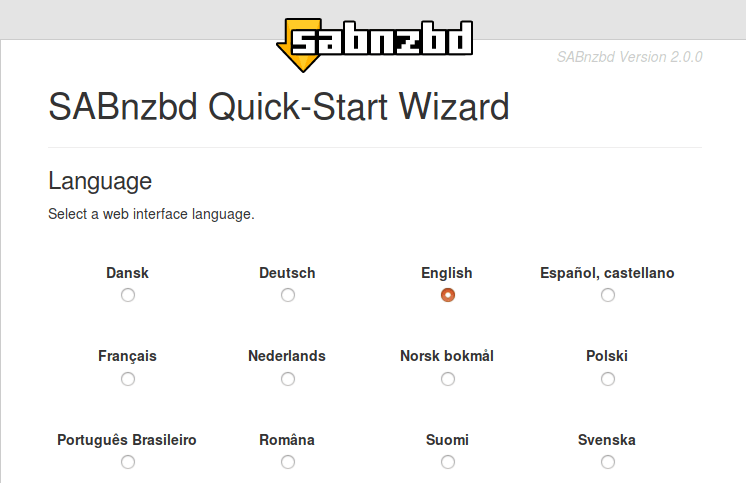
On Windows you run the installer, and on a Mac you drag it into Applications. On Ubuntu and most other Linux versions you can install it from the package manager. When it starts, it opens in your browser and runs a quick setup wizard. First you pick your language, then you enter your Usenet server details and click Test Server. If it says the connection worked, you’re done.
Installing SABnzbd on a Synology NAS
A lot of people run SABnzbd on a Synology NAS so it can download while the computer is off. There are two ways to do it. You can add SynoCommunity to Package Center and install SABnzbd from there, or you can run it in Container Manager (Docker). Docker takes a few more steps, but it keeps SABnzbd separate from everything else on the NAS. The SABnzbd NAS guide walks through both.
How to Add Your Usenet Server
Go to Config, then Servers, and click Add Server. Then fill in these details:
- Host: your provider’s server address, for example news.usenetserver.com
- Port: 563, with SSL turned on so your downloads are private
- Username and password: the login your provider gave you
- Connections: start around 10 to 20 and go up from there. Our guide to speeding up Usenet downloads helps you pick the right number.
Click Test Server, and save it once it works. If you add a second server as a backup, give your main one priority 0 and the backup a higher number. That way SABnzbd only uses the backup for anything the main server is missing.
How to Add NZB Files
There are a few ways to get NZBs into SABnzbd:
- Click Add NZB in the web page and pick the file.
- Drop NZB files into a “watched” folder, and SABnzbd picks them up on its own.
- Paste the link to an NZB file.
- Add an RSS feed from your indexer, so new posts download on their own.
- Let Sonarr or Radarr send them over automatically.
If you’re not sure where NZB files come from, our list of the best NZB sites is a good place to start.
Using SABnzbd With Easynews
SABnzbd works fine with Easynews. Add it as a server with the host news.easynews.com, port 563 and SSL turned on, then enter your Easynews username and password. Easynews’ own SABnzbd setup guide suggests starting with 20 connections. These settings are the same on a Synology NAS.
People ask us a few things about this setup:
- How do I get NZBs from Easynews? Search in the Easynews web search, pick the files you want and click the NZB button. That gives you an NZB file you can add to SABnzbd.
- Do I need an indexer too? Not if you’re happy searching Easynews yourself. If you want Sonarr or Radarr to grab things for you, you’ll want an indexer like NZBgeek as well.
- Can I post to Usenet with SABnzbd? No. SABnzbd only downloads, so posting needs a separate program.
Other Handy Settings
Categories let you send movies, TV and everything else to different folders. The scheduler can slow downloads down during the day and speed them up at night. You can also get a message by email or on your phone when something finishes. It also comes in lots of languages, so you can use it in the one you’re most comfortable with.
You Still Need a Usenet Provider
SABnzbd is only the downloader, so on its own it can’t get you anything. The files come from your Usenet provider, which is a separate account. We use UsenetServer, which is 70% off for our readers with 3 free months on the yearly plan and a free VPN. You can compare the rest on our best Usenet providers page.
Is SABnzbd Worth It?
Yes. It’s free, it’s easy to set up, and once it’s running you hardly have to touch it. It’s one of the most popular newsreaders for a reason. If you’d rather try something else, NZBGet is another good free option, and our list of the best newsreaders covers the paid ones too.