
ABnzb Review: Everything you need to know
ABnzb is an NZB indexer that’s been around since 2017. You’ll find it at abnzb.com (see their website). It’s popular in the Usenet community mostly because the free account is generous and the paid plans are cheap. It only opens registration now and then though, so if the signup page is closed, check back or ask a member for an invite. You’ll also need a Usenet provider to download what you find. Our choice is UsenetServer because it checks all the boxes. You can also see our reviews of all major NZB sites.
Easynews is our top choice among the best NZB search options. It’s an all-in-one service. You get unlimited high-speed Usenet access plus its own search, and the results are really accurate. It’s easy to use. You log into your Easynews account, type in the search bar and hit enter.
Other features:
- Highest retention rates / largest Usenet archive
- Retention grows daily (no Usenet posts are expired)
- Fast and accurate results
- Easy to use, fully customizable search interface
- No NZBs, indexers, or newsreaders needed
- Can be accessed from any device (mobile and desktop)
It also saves you paying for a bunch of NZB indexers. You get unlimited access and unlimited Usenet search with your Easynews account.
Exclusively through Usenet.com: Get 3 FREE Months of Easynews – Includes 30 day MBG + Free Upgrade to Unlimited (normally 150GB/mo)
Highlighted Features
Here’s what stands out about ABnzb.
- About 500 days of retention, according to reviews
- It indexes new posts every 15 minutes
- The platform comes with no ads.
- The forum is available for all users, with no restriction.
- Works with SABnzbd, NZBGet, Sonarr and Radarr
- All connections are SSL encrypted
- Free accounts get 25 NZB grabs and 10 API calls a day
- VIP gets 1,000 NZB grabs and 2,000 API calls a day
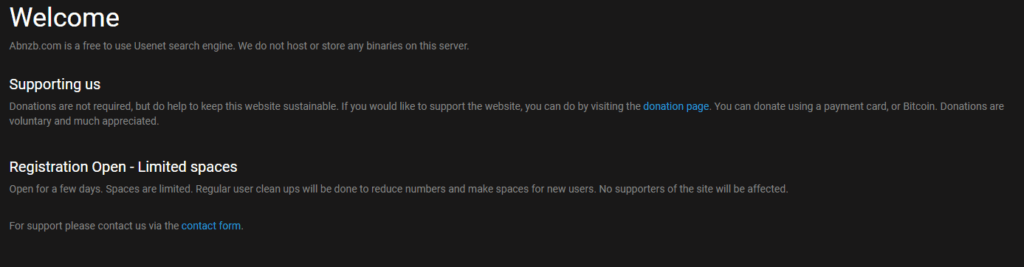
ABnzb Free Account
ABnzb offers a very generous free package to its users and you can get it without paying a single penny. When registration is open, you just pick a username and password and give them your email. The free account is fine if you’re just starting out, but if you download a lot you’ll want one of the paid ones. The free account comes with the following features.
- 25 NZB grabs a day
- 10 API calls a day
- Unrestricted Access to the forum
- No Ads
- SSL Connection
- Works with SABnzbd, NZBGet, Sonarr and Radarr
ABnzb Membership Levels
ABnzb is free to use, but you can donate for a bigger account. There are three levels:
- Free, you don’t pay anything.
- Supporter, about $12 a year.
- VIP, about $25 a year.
Free Package
The free package just needs a valid email when registration is open. The details are in the section above.
Supporter Package
Supporter is the middle package. You get 500 NZB grabs and 1,000 API calls a day, plus 5 invites. Since ABnzb only opens registration once in a while, those invites are the easy way to get a friend in. It’s about $12 a year. Here’s what you get:
- 500 NZB grabs a day
- 1,000 API calls a day
- 5 Invites
- Unrestricted Access to the forum
- No Ads
- SSL Connection
- Works with SABnzbd, NZBGet, Sonarr and Radarr
VIP Package
VIP is the biggest package, and it’s for people who use Usenet a lot. You get 1,000 NZB grabs and 2,000 API calls a day, plus 10 invites. It’s about $25 a year. Here’s what you get:
- 1,000 NZB grabs a day
- 2,000 API calls a day
- 10 invites
- Unrestricted Access to the forum
- No Ads
- SSL Connection
- Works with SABnzbd, NZBGet, Sonarr and Radarr
Prices and limits can change, so check the donate page on abnzb.com before you pay. Last we looked, you could donate a few ways:
- Bitcoin
- Credit card (Visa, American Express or MasterCard)
- An Amazon UK gift card
ABnzb API and Apps
ABnzb works with SABnzbd, NZBGet, Sonarr, Radarr and the other usual apps. Just keep in mind the free account only gets 10 API calls a day, so if you hook it up to Sonarr or Radarr you’ll use those up fast.
Ease of Use
ABnzb is a very simple platform and it is also well-optimized. One can use this platform without any problem. The registration process is very easy. You will need to select your username, your password and email address for the registration. After registration, you will get access to the dashboard which is also very simple. It comes with a navigation bar where you will find the links to the various categories including PC, TV, Books, Audio, and Video etc. Under the Menu section, you will find the links to the Forum, Donate page where you can donate to get premium levels, My Cart, Profile and logout page.
On the left side of the screen, you will find the search bar which you can use to find the NZB you are looking for. You will also find your daily limits under the search bar which displays your remaining daily NZB grabs and API calls. We also loved the Dark look of the UI which gives it a clean look and also makes it easier to use in the night. Overall, the ABnzb platform is very clean and easy to use.
Search Stats
- All the content on ABnzb is categorized into 7 Categories.
- When we checked, it had about 4.1 million NZBs indexed.
Search Options
On ABnzb you get the following search options.
- Search by title.
- Browse the categories.
- You can also sort the results by Date Posted, Name, Category, Size, Files and Stats
Search Results
In the search results, you get the following information.
- Name
- Category with the further sub-category
- Date Posted
- Size
- Stats
How to Use ABnzb?
The whole process is very simple and here’s how you can use it.
- Login to ABnzb
- Enter your query to search bar or browse the categories.
- Find the NZB you are looking for and download.
- Next you’ll need a newsreader and a good Usenet provider. Our top choice is the UsenetServer and you can read our review of its pricing and retention on our website. You can also check the reviews of the best Newsreaders on our website.
- Import the NZB File to your Newsreader, open it and download the content.
Security
ABnzb uses SSL for everything, so your searches and downloads from the site are encrypted.
ABnzb Forums
The forum is pretty simple, you get the overview of the posts and it provides information such as topic, posted by, Last update and number of replies. There is no option to search the forum so you will have to browse through the topics to find the post you are looking for or you can create your own post. Moreover, the platform also has a dark look which gives a clean look to the forum. A search box for the forum would make it a lot easier to find posts.
Customer Support
Just like the forum, customer support is also very basic. You can either contact the customer support by submitting the ticket on the platform or email help@abnzb.com. There’s no live chat.
Conclusion
ABnzb is one of the best free NZB sites, and the free account is generous. The Supporter and VIP plans are cheap too, and they’re worth it if you download a lot. It indexes every 15 minutes and has millions of NZBs. Overall, we think that ABnzb is a great platform and you should give it a try. If you don’t have Usenet access yet, we’d go with UsenetServer. It has tons of great features at a good price. You can read the UsenetServer review on our website where we have explained the ins and outs of this service. Also, visit our website for more Best NZB site reviews. You will also need a Usenet Provider. Be sure to check our choices for Best Usenet Provider.